This is the most amazing photo editor, I have
been using it since 2009, I bought my first Premium Edition Photo Suite 5 for
$499.95, at that time is was expensive but it worth every dollars, I never
regretted it. This program improved every years, and it became one of the most
powerful on the market, it’s a real bargain
,
Availability and Pricing
Perfect Photo Suite 8.5
is now available. Existing owners of Perfect Photo Suite 8 are eligible
for a free update. New users may purchase the
Premium Edition for
$179.95 or the
Lightroom & Aperture Edition for only $99.95. The
Standard Edition, a standalone application, is available for $79.95.
Owners of earlier versions of the Perfect Photo Suite can upgrade to the
Premium Edition for
$99.95 or the Lightroom & Aperture Edition for
$79.95.
The best part is that they offer a
free full edition trial, it’s always great to try a software before buying it,
I always do.
I just tried the new
Perfect Photo Suite 8.5 yesterday, I
upgraded from version 8 for free. I took the time to upload all my own
textures, and did some tests with one image that I have been wondering how to
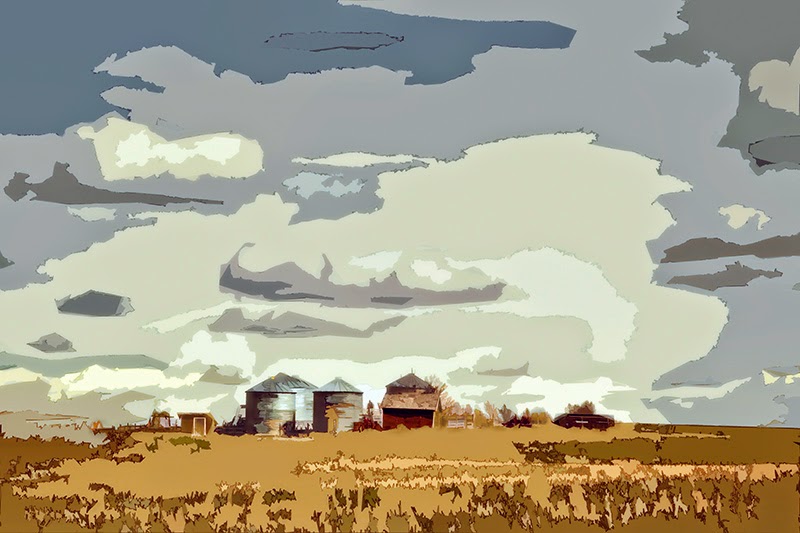
improved, I liked the original image, but the sky bothered me, I wanted more
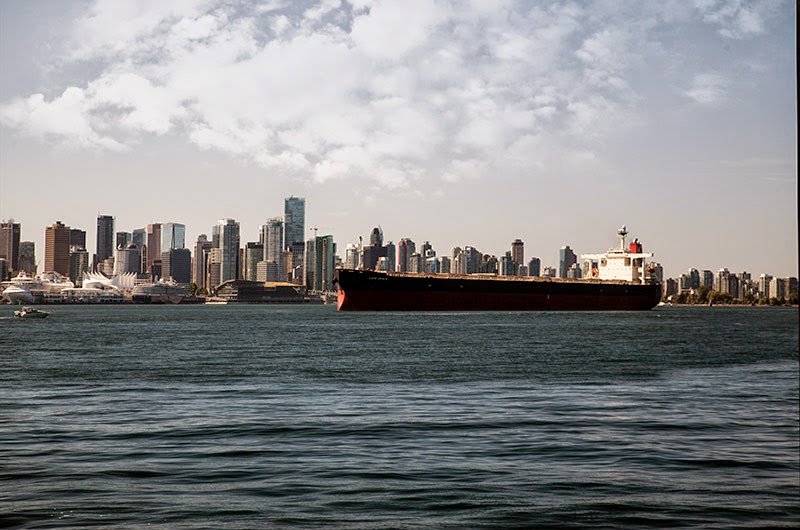
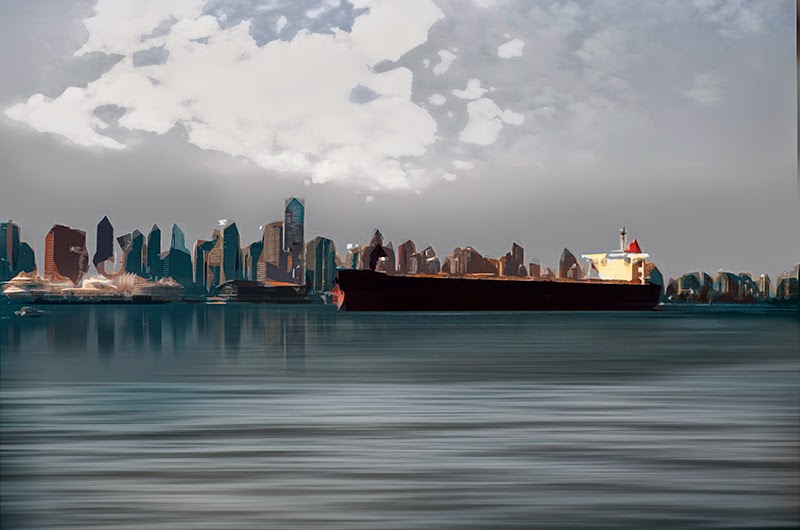
drama, you can judge the improvement looking at the before and after images.
The before photo, great image, but the sky was uninteresting, no drama
The after photo is for me a real improvement a story teller, using my own textures that was fast and easy to upload to Perfect Photo Suite and using the perfect masking brush it took me no time to achieve that result.
Press Release
Perfect Photo Suite 8.5 Now Available - Photo Editor for Adobe Lightroom, Adobe Photoshop, Apple Aperture, and standalone use.
Update adds super-fast photo browsing, more file-management options,
and improvements to the Perfect Eraser and Masking Bug tools.!
Portland, OR - May 13, 2014 -
onOne Software, Inc®., the leading
developer of innovative digital photography solutions, today announced
that
Perfect Photo Suite 8.5 is now available, a new version of its
full-featured photo editor, which works as a plug-in with Adobe
Photoshop, Adobe Photoshop Lightroom, and Apple Aperture, as well as a
standalone app. Version 8.5 includes speed and productivity enhancements
to the Perfect Photo Suite’s Browse module, improved performance with
the Perfect Eraser tool, and enhanced masking support in Perfect Effects
and Perfect Layers. In addition,
RAW file support is now included with
the
Standard Edition in version 8.5.
Perfect Photo Suite 8.5 is
available today as a free update to all owners of Perfect Photo Suite
8. It supports Photoshop CC, CS6, and CS5; Lightroom 5 and 4; Photoshop
Elements 12, 11 and 10; and Apple Aperture 3.
onOne’s Perfect Photo Suite includes
eight powerful, integrated applications, each one
targeted to a specific photo-processing task:
*
Perfect Effects. The richest and most versatile photo-stylization tool available on the
market today. It includes an extensive library of one-click presets, fully customizable
and adjustable effects and powerful masking tools, all of which help make your photos !pop.
* Perfect Enhance. Offers essential tools for basic enhancements,
including brightness, contrast, sharpening and color cast removal.
Enhance also has retouching features like the Perfect Eraser and a Clone
tool, which makes it easy to remove objects, fix dust spots and repair
flaws in a photo.
*
Perfect B&W. Create stunning photos
that recreate the timeless look created by the masters of black and
white photography. Perfect B&W adds dramatic and elegant looks to
photos, letting you easily create the many moods black and white
! photography can evoke, resulting in beautiful, one-of-a-kind photos.!
* Perfect Portrait. Offers simple, yet powerful, portrait retouching,
with automated feature detection and enhancement tools to smooth skin,
remove blemishes, brighten eyes and teeth, and correct skin color. Fast
processing speeds also allow photographers to retouch images quickly for
simply stunning portraits.
*
Perfect Mask. Creates
high-quality masks quickly and easily with automated functionality and
powerful tools that make selecting subjects and isolating
!backgrounds for removal extraordinarily accurate.
*
Perfect Layers. Gives photographers the ability to combine images
and extend their photo-editing options in a layered file workflow
without Photoshop. Photographers can create and edit multi-layered files
with Perfect Layers directly from Lightroom, Aperture or when using the
Perfect Photo Suite as a standalone application. Also included are
blending modes, textures, borders, PNG file support, and the powerful
edge-detecting Perfect Brush.
*
Perfect Resize. Still the industry standard for photo enlargement. It
is renowned across the photographic and printing industries for its
ability to increase image size well over 1000% without the loss of
sharpness or detail that is normally expected. Proven Genuine Fractals
technology has been applied to algorithms that optimize the clarity and
detail of different photo types, including mobile snapshots.
*
Perfect Browse. Quickly get to the photos you want to edit wherever
they're stored— whether they're on your computer, network, or on a
cloud-based storage service. Now includes one of the fastest previews
available for browsing photos. Also great for viewing photos
side-by-side in a thumbnail grid or in a larger, more detailed view
along with important metadata and navigate through them with intuitive
keyboard
shortcuts.
In addition, all
Perfect Photo Suite 8 customers are automatically enrolled in the
onOne Loyalty Rewards
program. Each month customers receive free product add-ons such as
presets, textures, backgrounds, ebooks, and other creative assets to
help expand their photo editing arsenal and get the most from onOne
products.
Availability and Pricing
Perfect Photo Suite 8.5
is now available. Existing owners of Perfect Photo Suite 8 are eligible
for a free update. New users may purchase the
Premium Edition for
$179.95 or the
Lightroom & Aperture Edition for only $99.95. The
Standard Edition, a standalone application, is available for $79.95.
Owners of earlier versions of the Perfect Photo Suite can upgrade to the
Premium Edition for
$99.95 or the Lightroom & Aperture Edition for
$79.95.
For more information on
Perfect Photo Suite 8.5 follow this link
Perfect Photo Suite 8.5
About onOne Software
onOne Software, Inc., a leading developer of innovative software tools
for photographers, develops time-saving software solutions for
professional and advanced amateur photographers. onOne Software
solutions have been created to help photographers spend more of their
time behind the camera taking pictures instead of the computer
workstation. Such solutions include a wide range of easy-to-use
standalone applications and plug-in enhancements for Adobe Photoshop,
Photoshop Elements, Photoshop Lightroom, and Apple Aperture. Founded in
2005, onOne Software is a privately held company located in Portland,
Oregon.